Product
What IEP Assure looks like in your district.
The daily work of carrying out IEPs, in one place, alongside your IEP system.
 District compliance scorecard
Holds the plan
Holds the daily work
See delivery
A week in IEP Assure
Six things your teams do here.
One current picture of every student
One page per student: eligibility, goals, services, accommodations and plan type (IEP, 504, EB).
Everyone works from the same picture. When new IEP data arrives, prior-year data is archived, not lost.
See it on your data →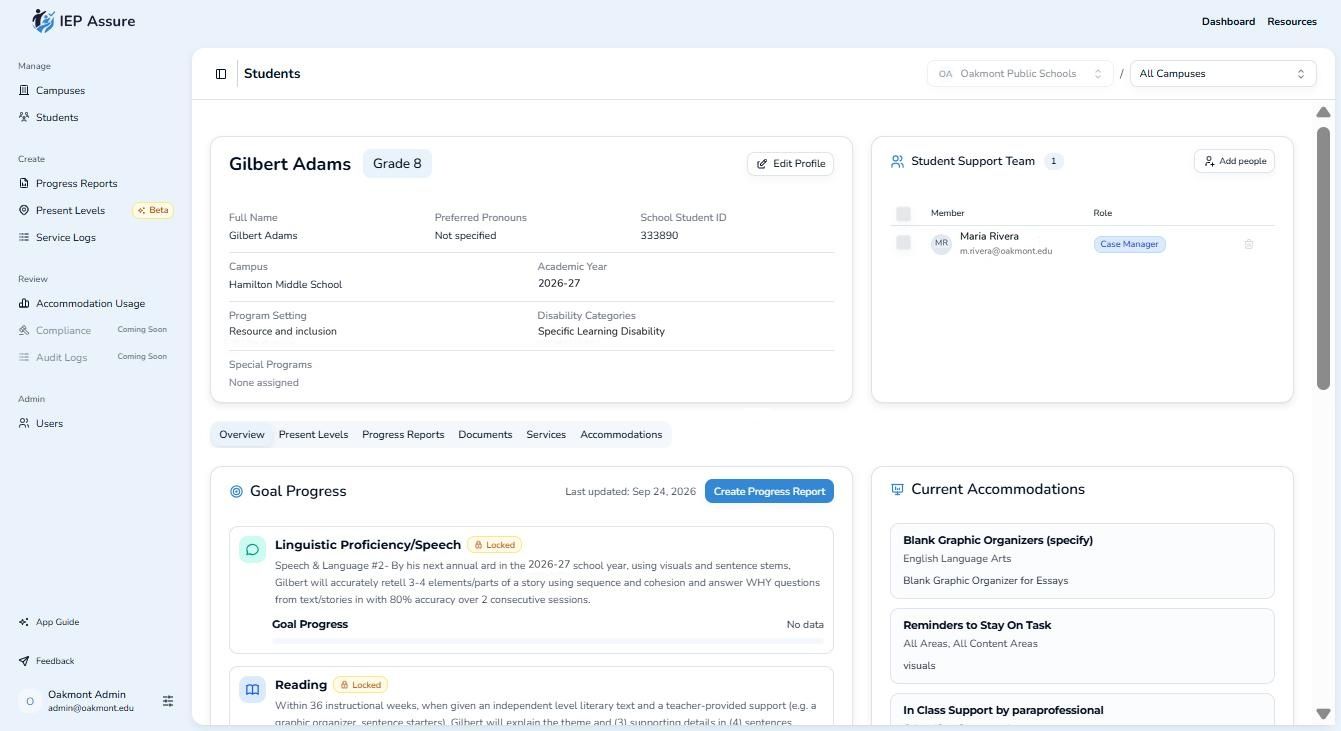
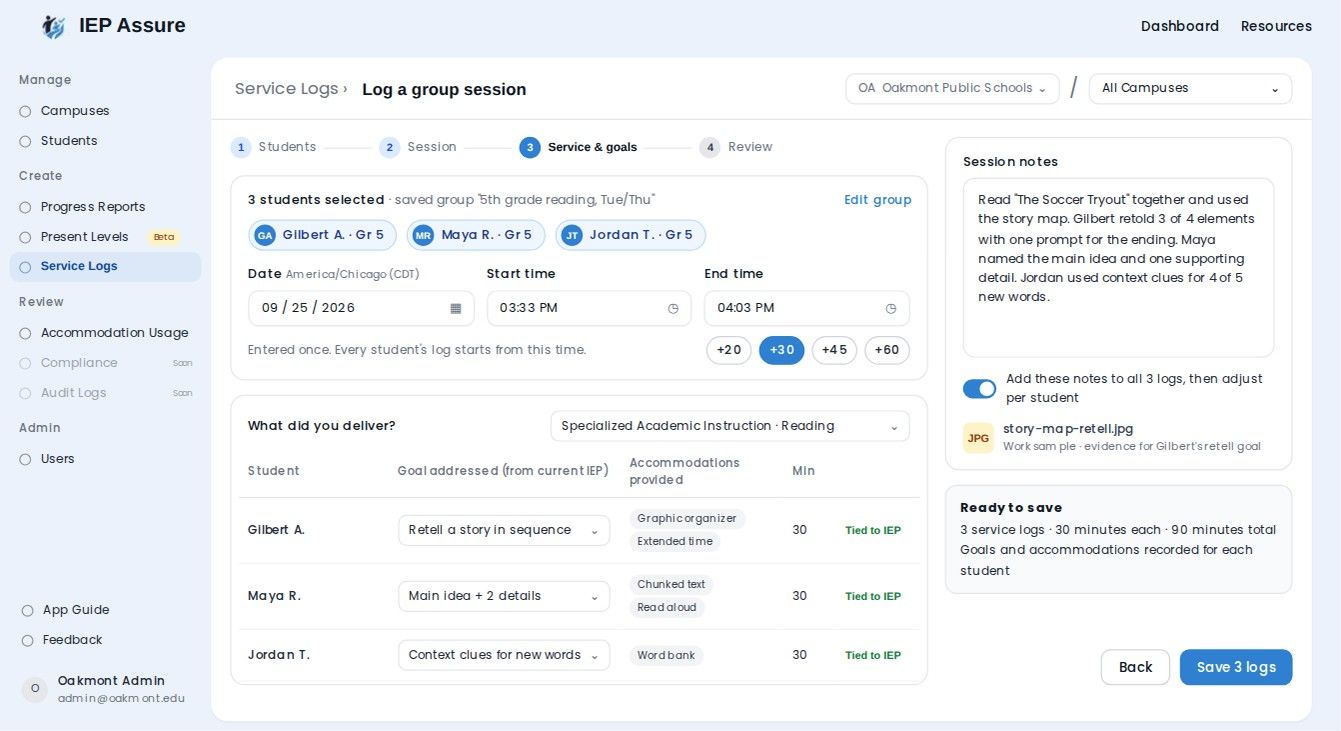
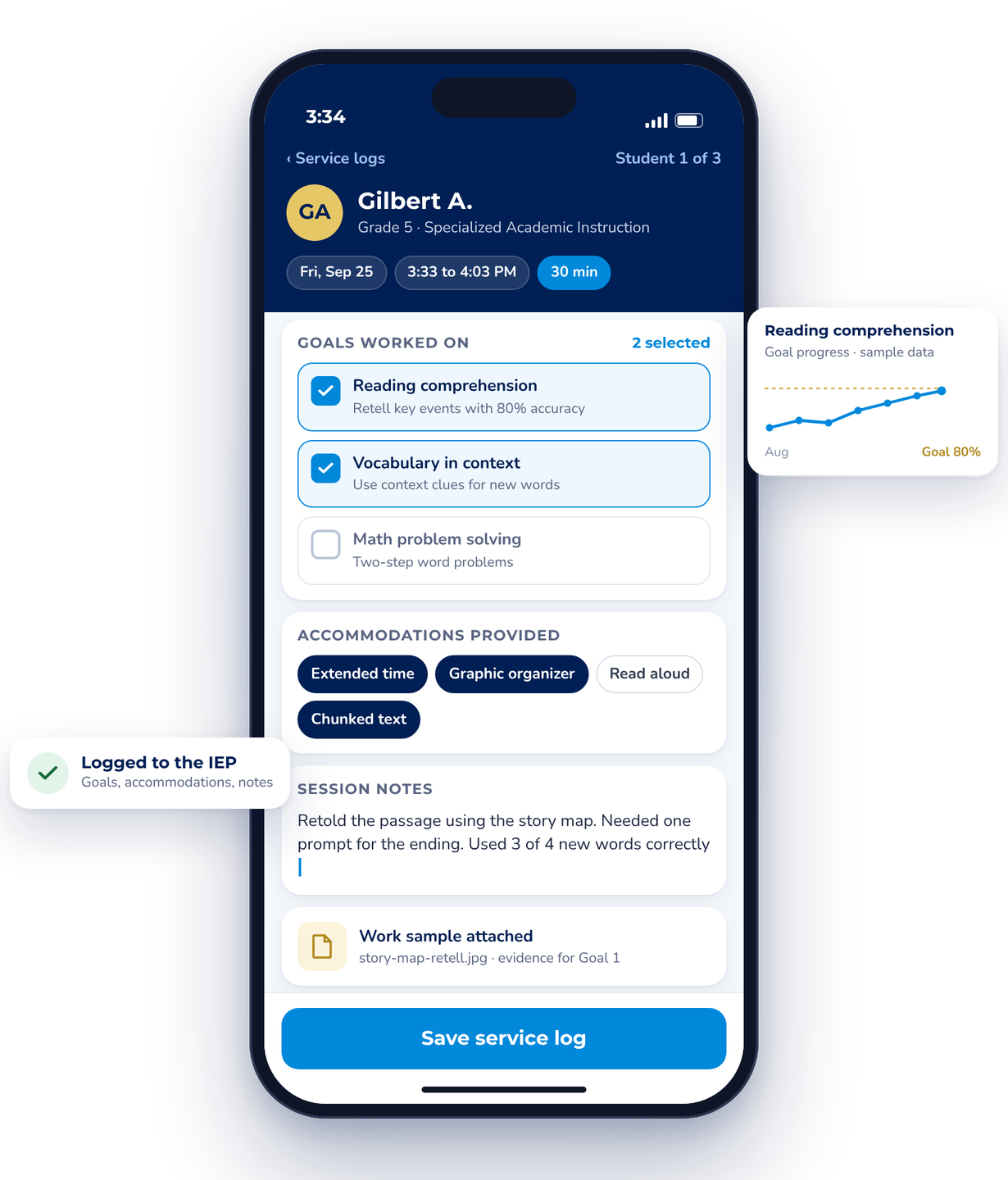
Log once, for one student or a group
Enter the time once, use quick duration buttons, save groups you see every week. Each entry is tied to each student's plan.
Accurate, time-stamped records of services delivered. The evidence base for HB 2 tiers.
Book a walkthrough →Gaps surface before the period closes
Logs missing required information are flagged so teachers can fix them.
Catch gaps while there is still time, not after.
Book a walkthrough →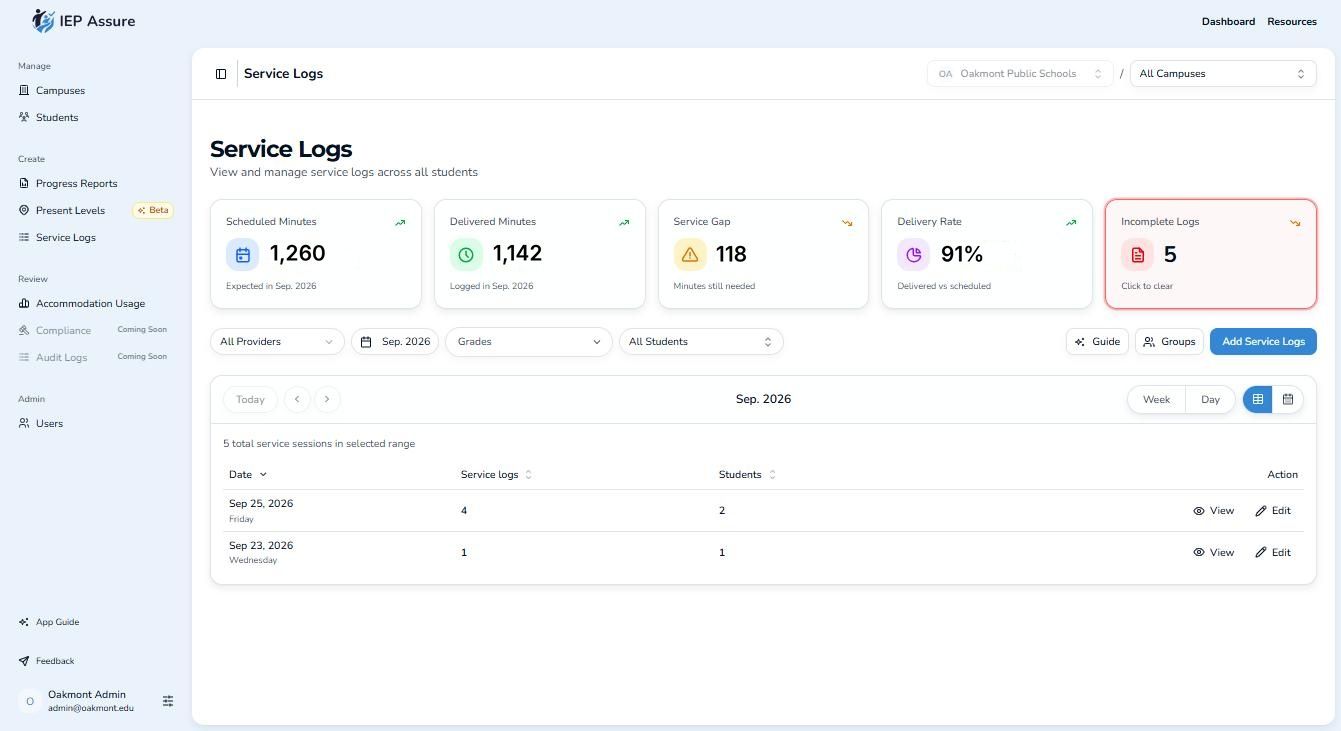
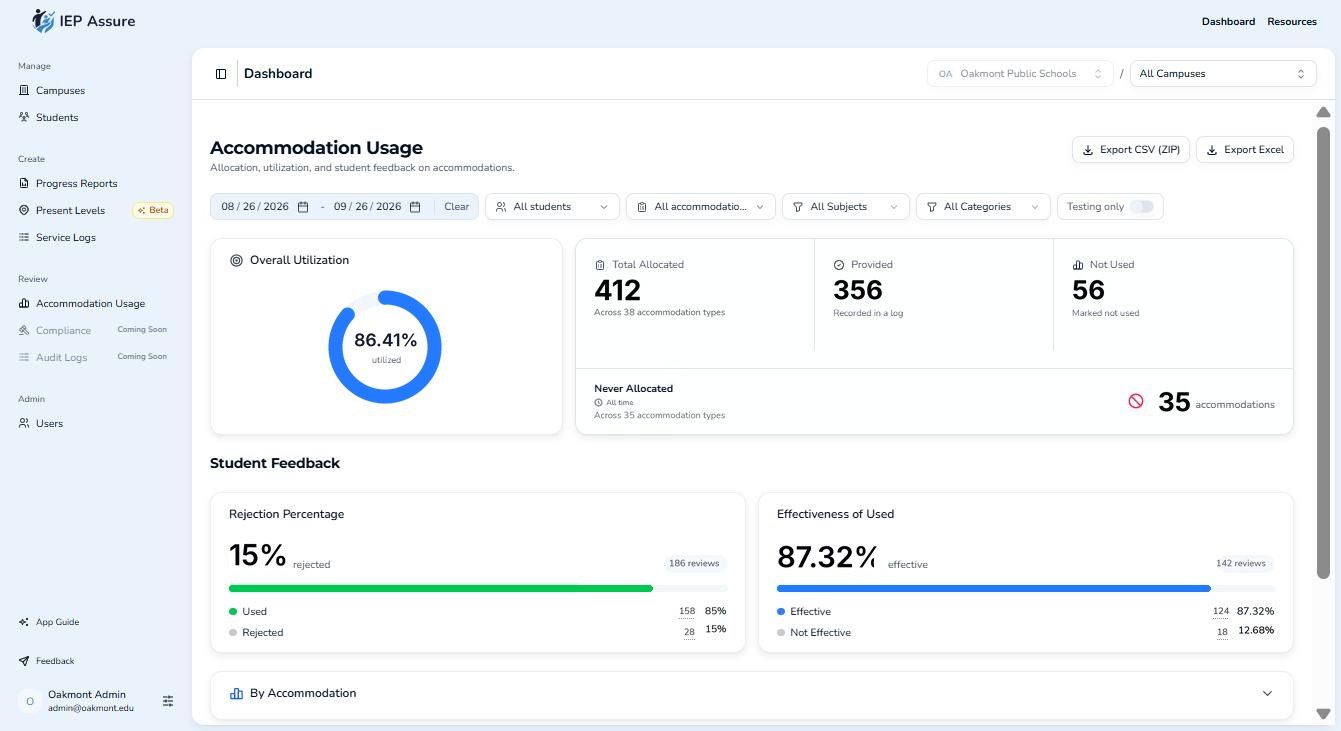
Every accommodation, every plan
All accommodations in one place. Teachers record when they were provided. Export by campus.
Shows accommodations are being provided, including for 504 and EB students.
Book a walkthrough →Evidence in, a draft out, the teacher finalizes
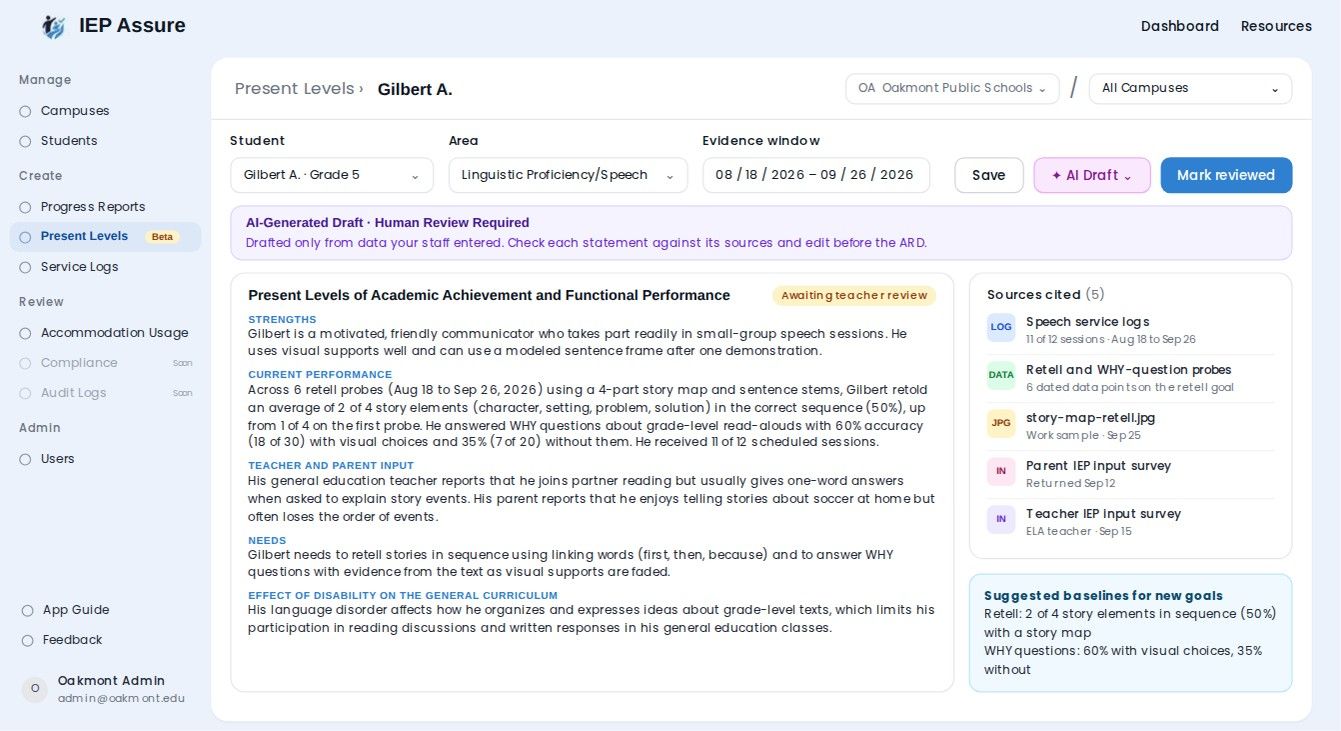
Capture data points, notes and work samples against goals. PLAAFPs and progress reports are drafted from that day-to-day evidence.
Present levels and reports grounded in real work, finished faster, and clearer for families.
See a progress report on your data →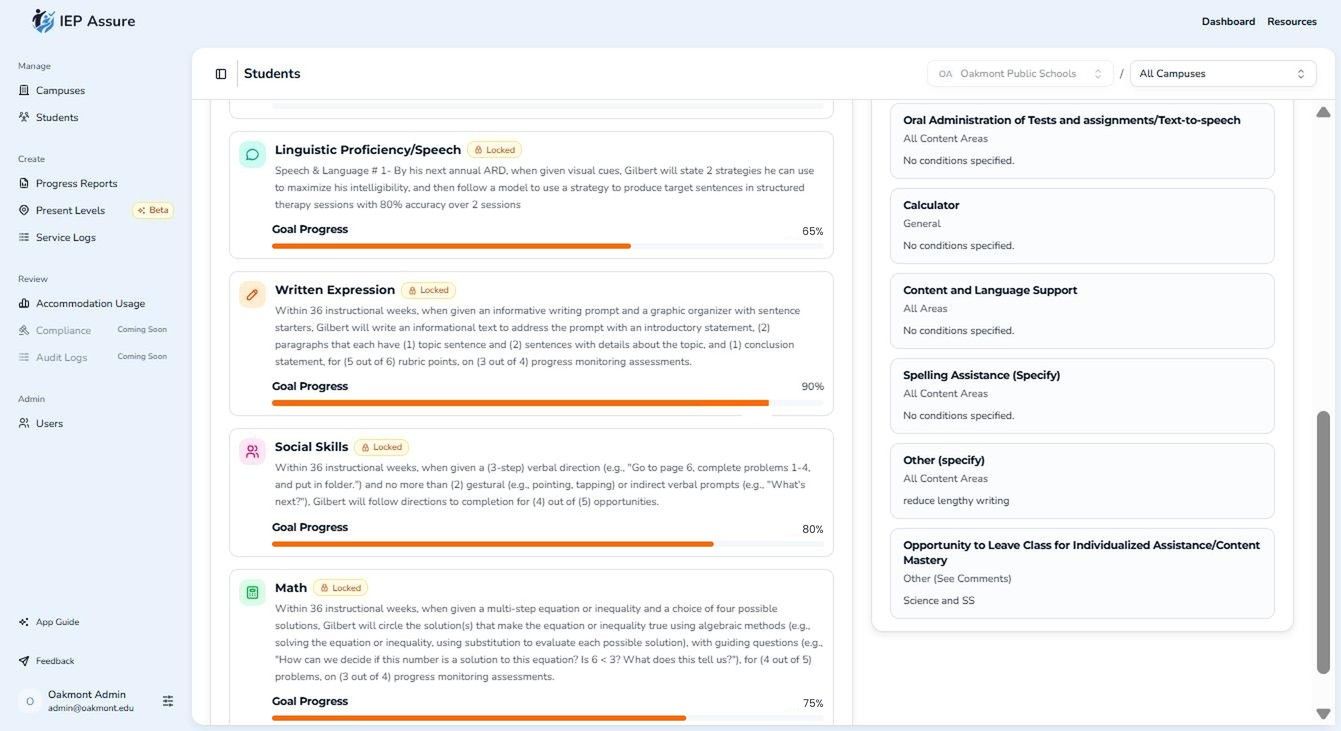
Who is behind, while there is time to act
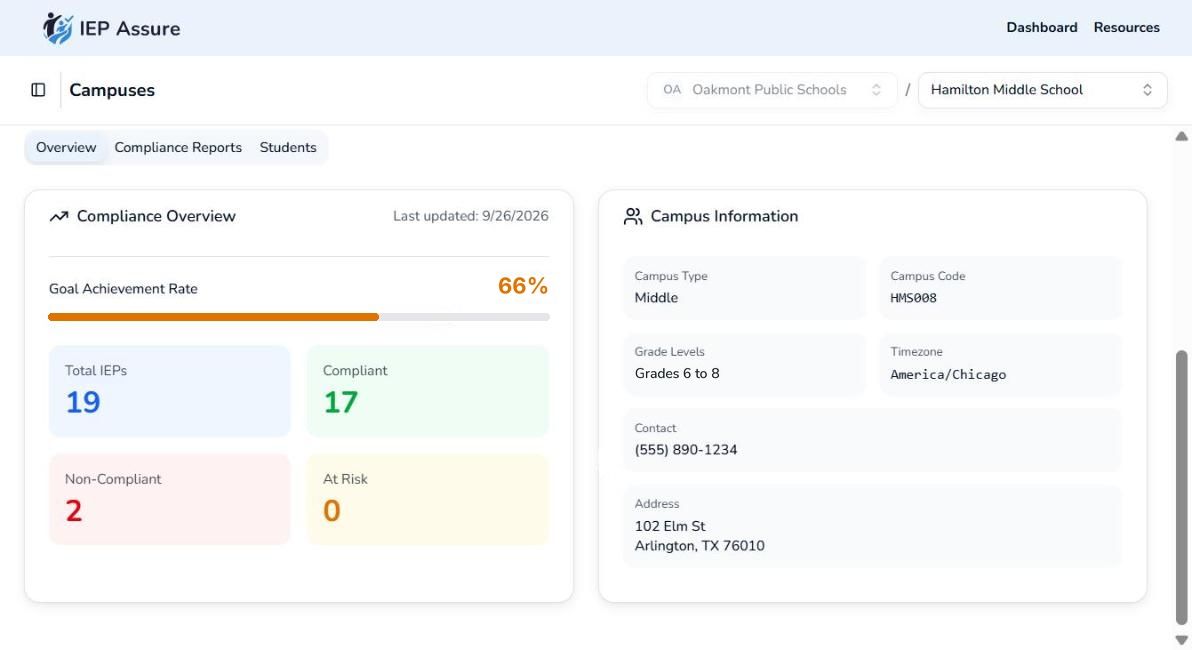
Delivered and planned services by campus, teacher and student, with a campus scorecard.
Principals see their campus. Directors see the district.
Book a walkthrough →Helps: drafts PLAAFPs and progress reports, using only what teachers entered from their day-to-day work.
Doesn't: decide eligibility, services, tiers, or whether a service happened.
Always: an educator reviews, edits and finalizes every draft.
Product questions
Does it write IEPs?
No. IEPs stay in your IEP system. IEP Assure drafts PLAAFPs and progress reports from what teachers actually see and log day to day, and your team reviews and finalizes them.
Does it replace our system?
No. It works alongside it.
How does data get in?
We load it with you, from the rosters and IEP exports you already have.
Is there a mobile app?
IEP Assure works in the browser on phones and tablets.
How do districts pay for it?
Districts use a mix of sources. Common options we see:
- IDEA Part B funds for special education services and support
- Title funds, for example Title II for the professional learning that comes with rollout
- Instructional Materials and Technology Allotment (IMTA) in Texas
- Budget from unfilled positions, since teacher time goes back to students
- Splitting costs across departments, such as special education, curriculum and technology
- Co-op cost sharing for member districts
- RFP or co-op purchasing when your process requires it (Procurement)
Eligibility depends on your district's plans and rules. We are happy to walk through options with your SpEd and business office teams. How pricing works →
See it on your district's data.
Thirty minutes. Bring your real campus questions.
Book a 30-minute walkthrough